

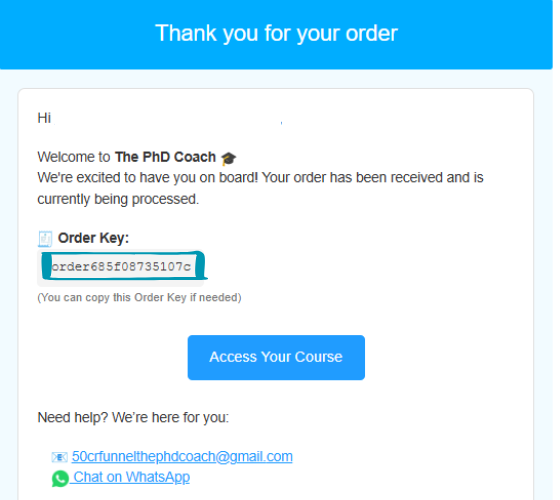


Once you complete the payment, you’ll receive a confirmation email from us. 📩 This email contains your Order Key — a unique code used to activate your course.
📝 Important: If you don’t see the email, please check your Spam or Promotions folder.
🔑 This Order Key is important. Keep it safe—you’ll need it in the next step.
✅ Step 2: Open Dashboard
Click on the Dashboard button below. You’ll be redirected to the login or registration page.
If you’ve already registered, just log in using your credentials.
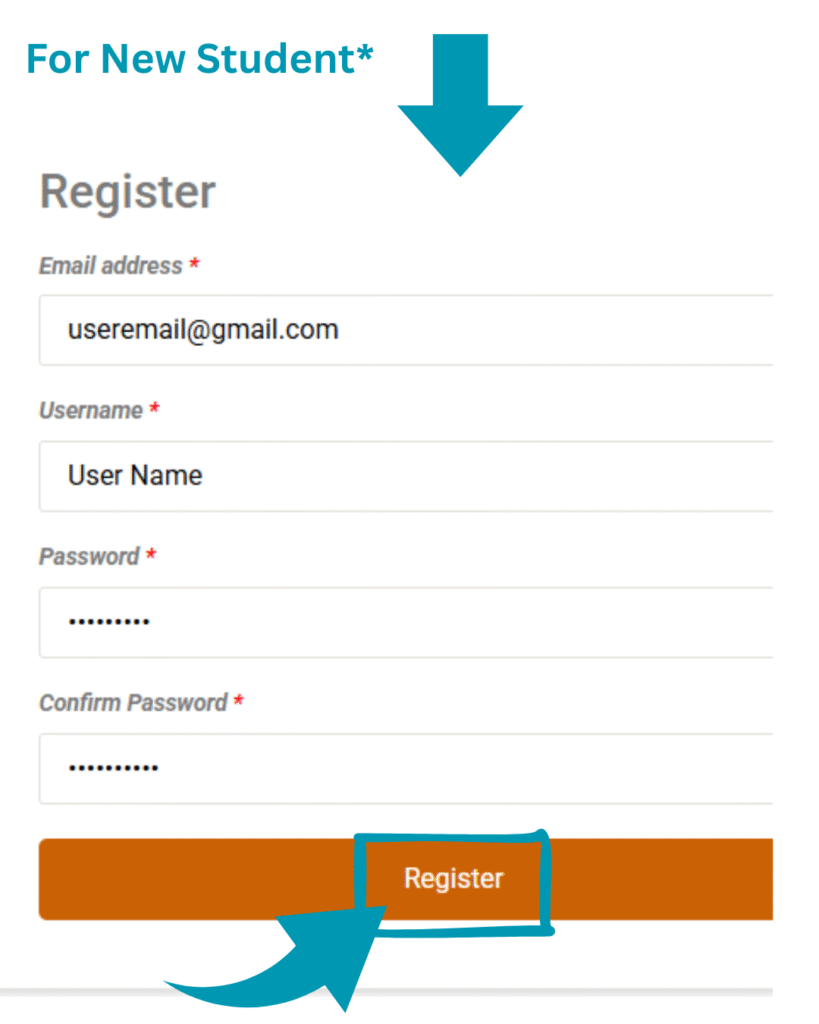
If you’re a new student, click Register, enter your details using the same email used during purchase, and create a secure password.
🟢 After registration, you’ll automatically be redirected to your dashboard.
After logging in, go to Dashboard → Orders. There you’ll find a field where you need to paste your Order Key from Step 1.
✍️ Submit the key to verify your purchase and activate your course.
✅ Step 4: Access Your Course
Once the key is verified, go to the My Courses section. Your purchased course will now appear.
✅ Step 5: Start Learning
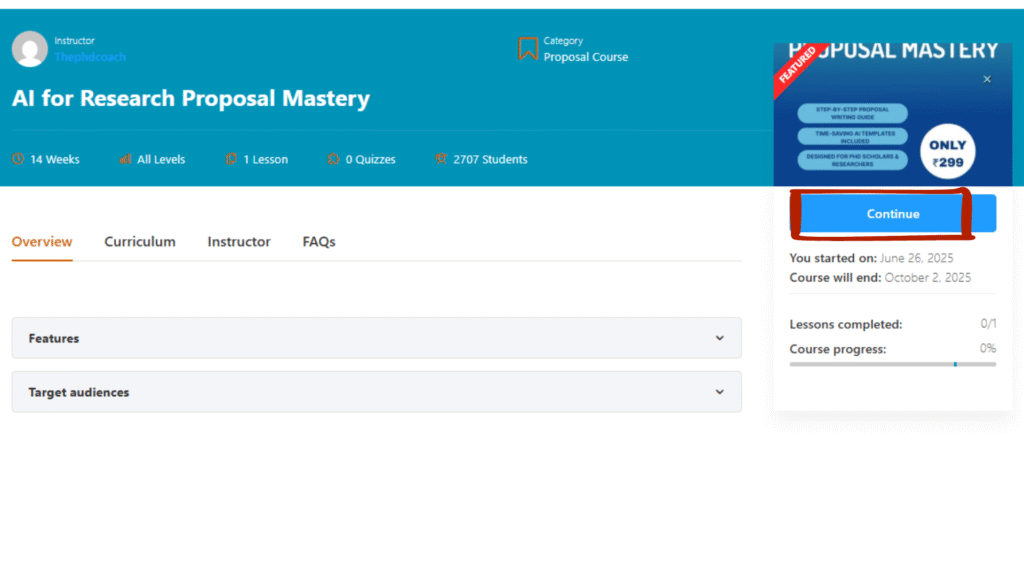
Click on the Continue button on your course to begin your learning journey right away!
🎥 Watch Full Access Tutorial (Video Guide)
Need visual help? Watch our step-by-step video:
🧠 Common Questions
Q: I didn’t receive the order key. What do I do? 🔍 Check your spam or promotions folder. If you still don’t find it, contact our support with your purchase email.
Q: How long does it take to get course access? 🕒 Usually within 5–10 minutes after you send your order key.
💬 Need Help?
We’re available 24×7 to help you!
If you face any issues accessing your course, contact us through:
Leave a Reply